NetSecWall Enterprise Beta

The whole fleet.
Your network. Your server.

The NetSecWall Management Server is an on-prem console that enrolls every endpoint, deploys policy with a guided wizard, pushes silent updates, and meters its own seats — with no cloud dependency after a one-time activation.

Enterprise is in beta. It isn't sold self-service — every deployment is set up with us, so we can size it, help you roll it out, and act on what you hit. Talk to sales and we'll take it from there.

25–250 seats per key100% self-hostedmTLS agentsWorks air-gapped
check-in · events ↗↙ policy · updates · commandsdeploy · respondone-shot activationFIN-WS-014agent · mTLS certENG-BUILD-03agent · mTLS certSALES-LT-19agent · mTLS certNetSecWall Management Serverpolicies · updates · seats · analytics:8090:8091 mTLSSQLite / SQL Server🔒 internal CA · audit logAdmin consolepolicy wizard · TLS :8443NetSecWall cloudlicensing only · then offline
check-in · events policy · updates · commands admin actions isolate command one-time licensing
Up and running

Three steps to a managed fleet.

  1. 1 · Install the serverOne self-contained executable runs as a Windows service — console on day one, SQLite included, SQL Server when you outgrow it.
  2. 2 · Activate with your keyPaste your Enterprise key on the Licensing page. It fetches your plan, features, and seat cap once — then the server runs fully on-prem.
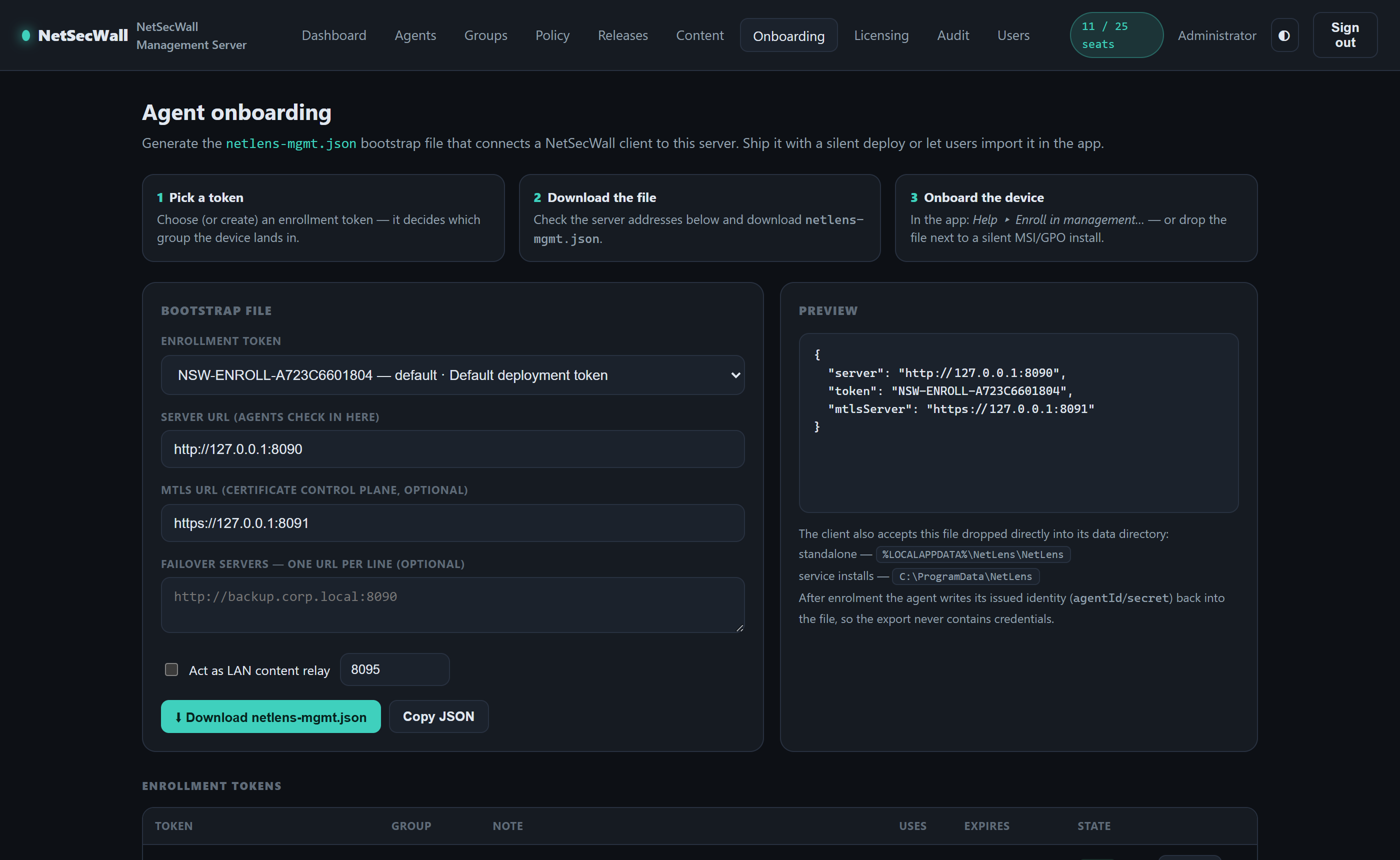
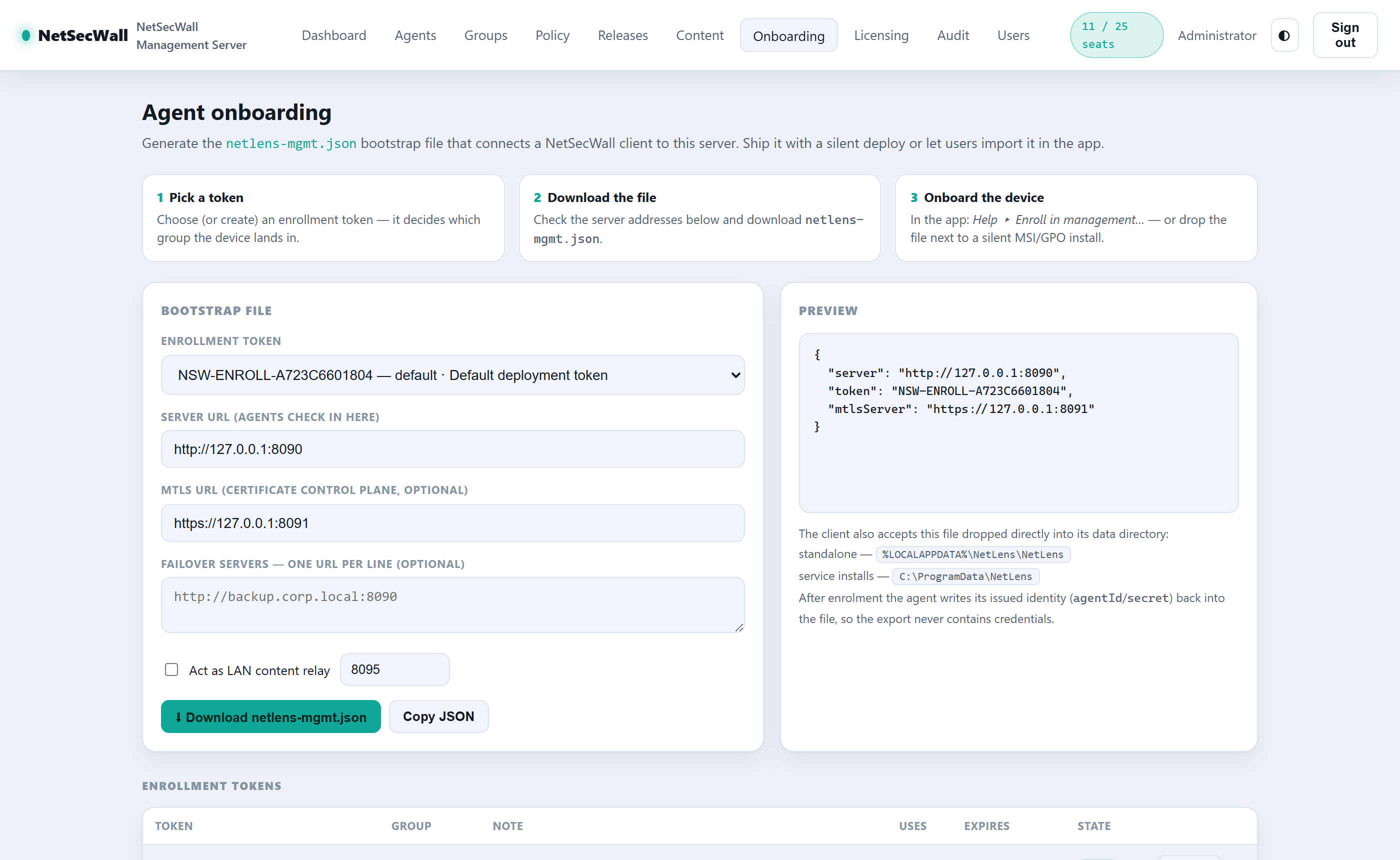
  3. 3 · Onboard your endpointsDownload a netlens-mgmt.json from the Onboarding page. Import it in the app — or ship it with a silent GPO / Intune install — and each device enrolls into the right group automatically.

Inside the console

The management console, up close.

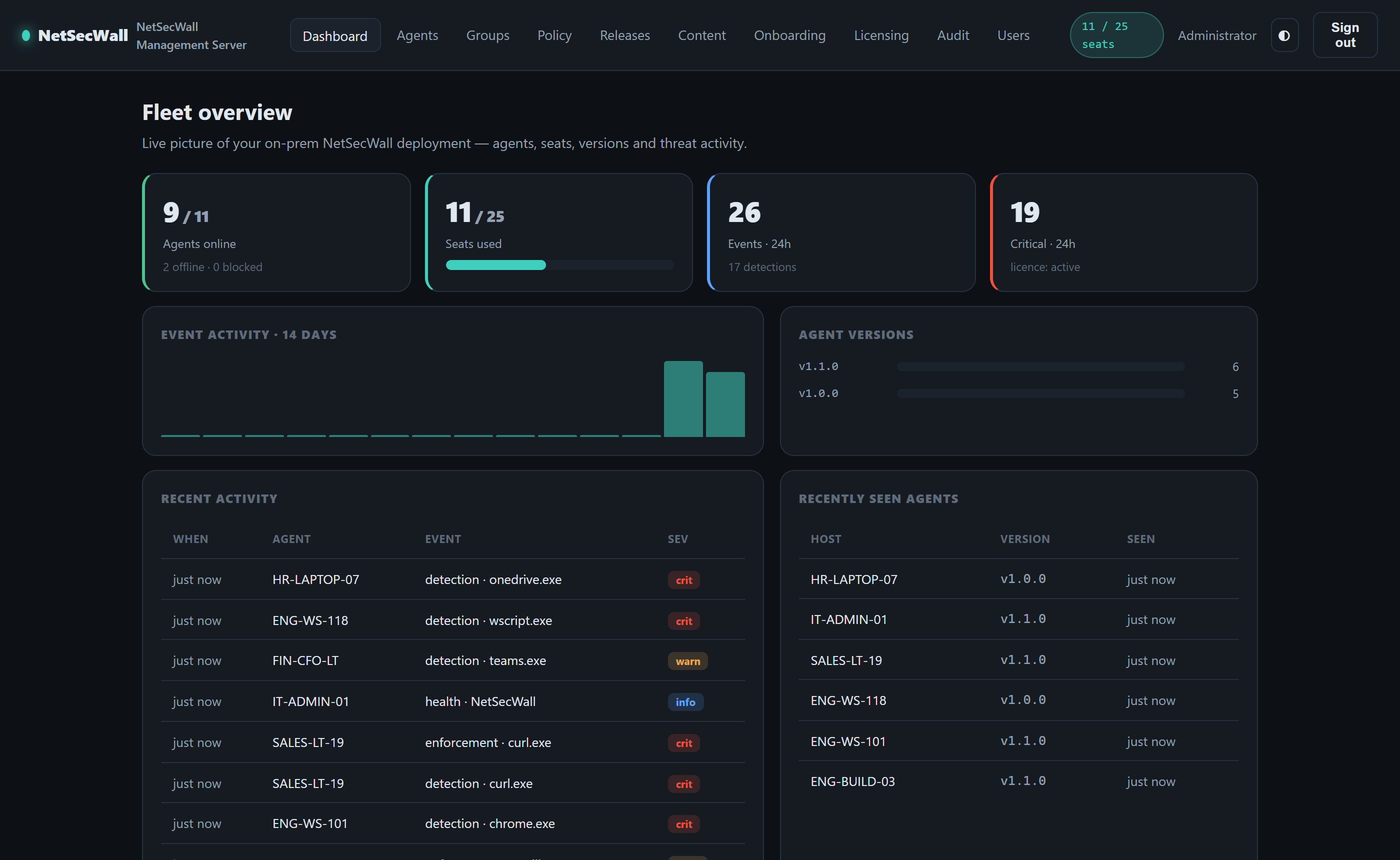
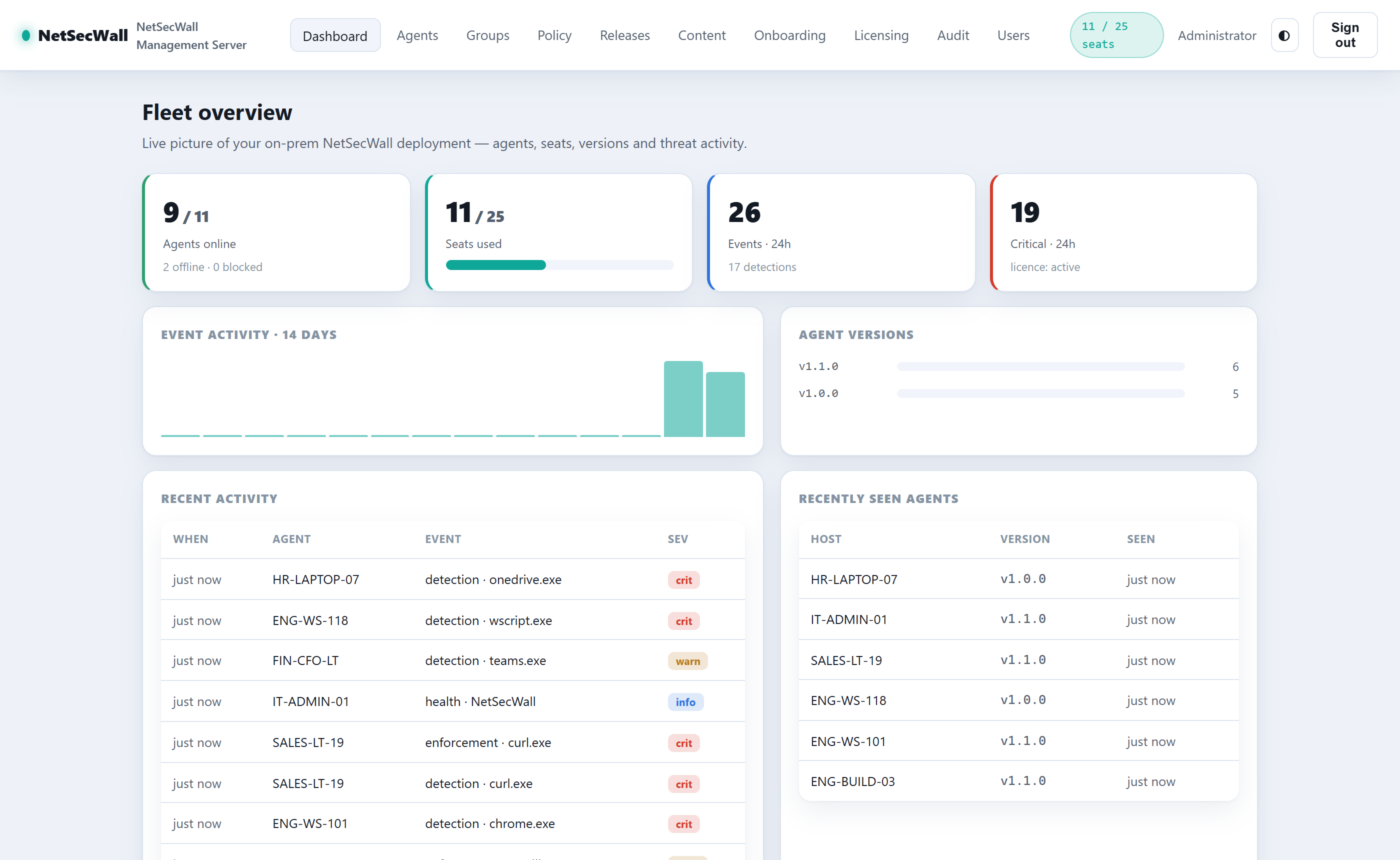
Actual, unretouched screenshots from a live NetSecWall Management Server deployment. Select a view below — the console ships with light and dark themes and follows your preference.
NetSecWall Management Server — Fleet overview
Selected console view (dark theme)Selected console view (light theme)
Dashboard
Fleet dashboard: agents online, seat usage, event activity, and detectionsFleet dashboard: agents online, seat usage, event activity, and detections
Agents, seats, versions, detections.
Policy wizard
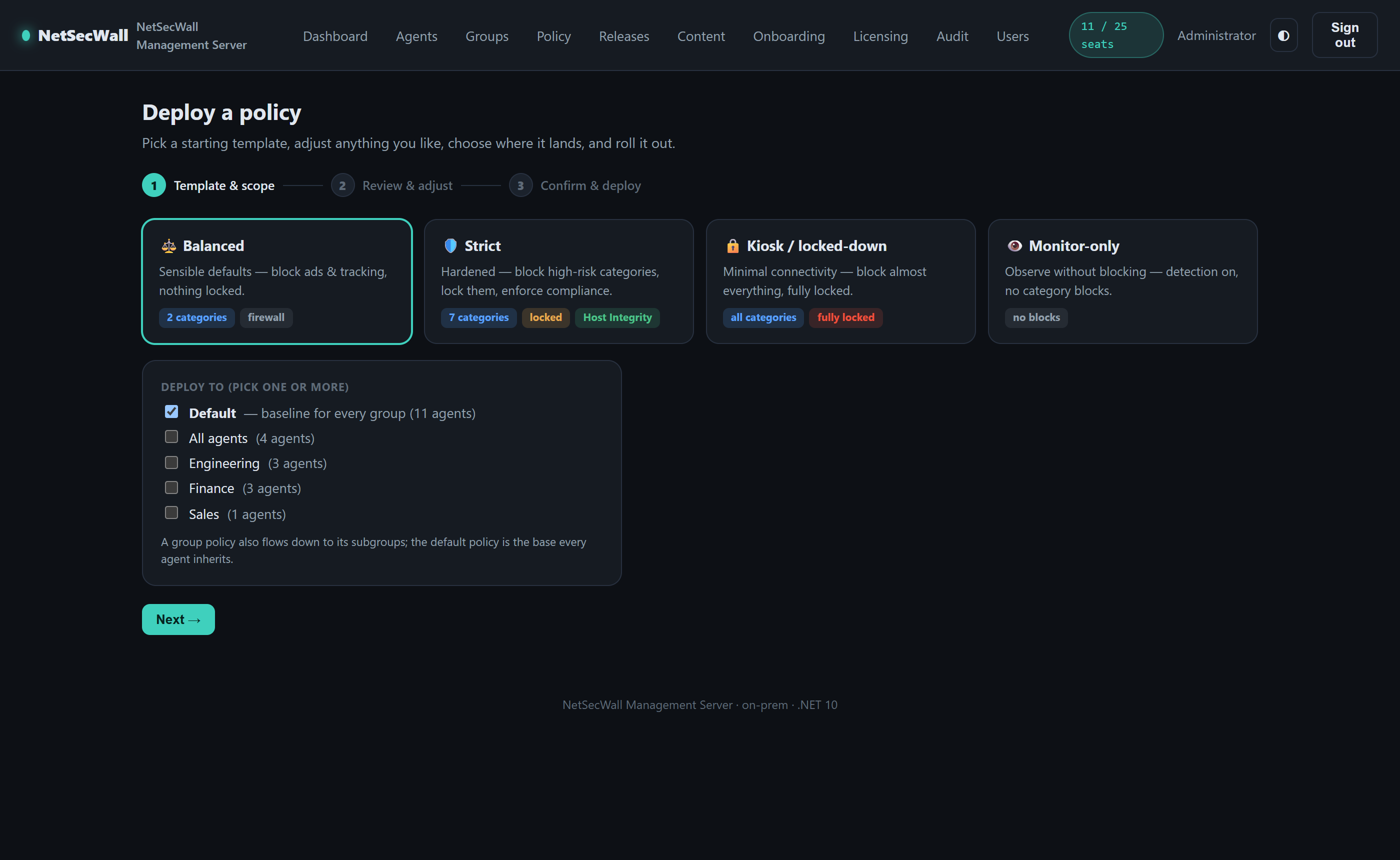
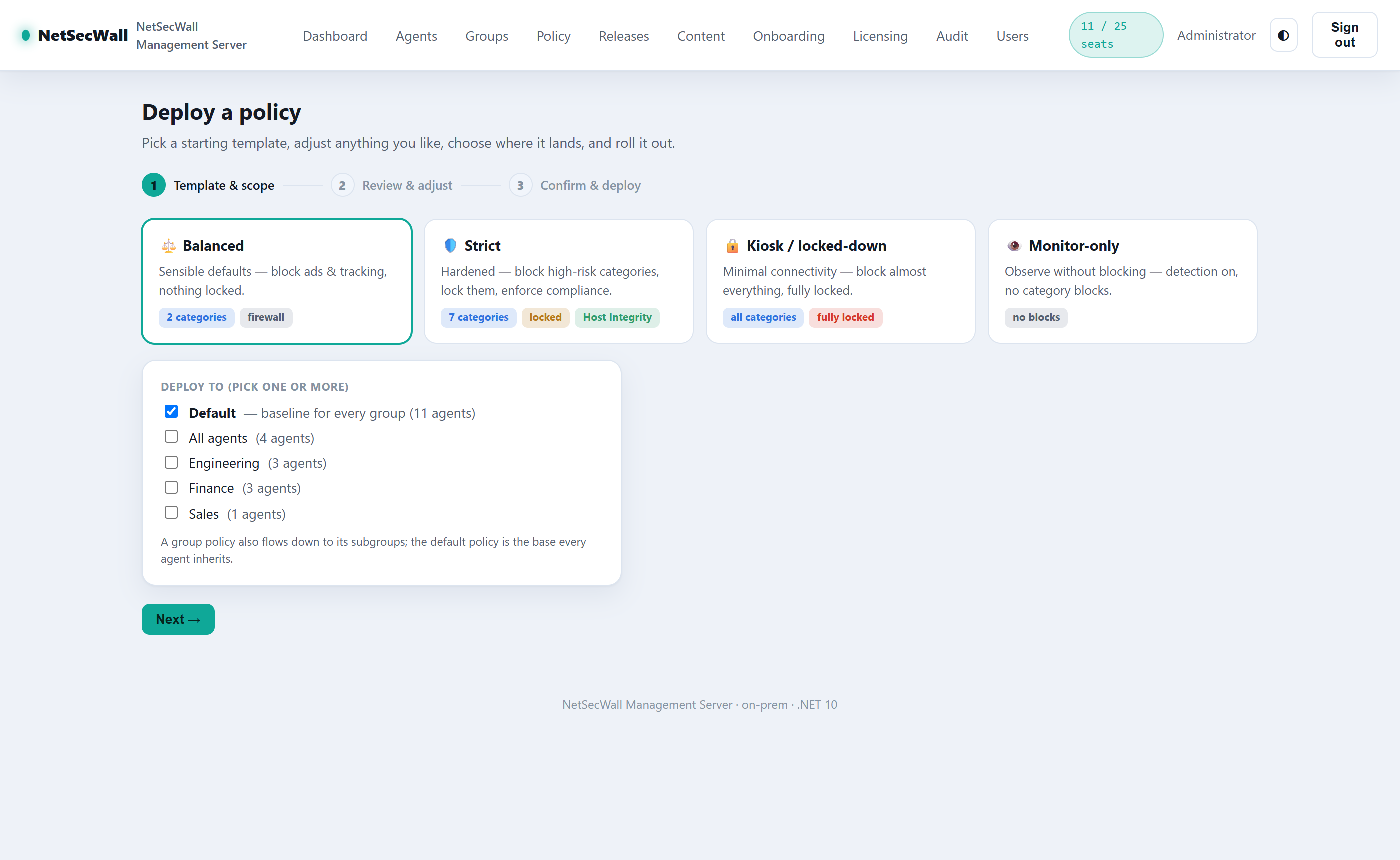
Policy deployment wizard: templates, multi-group targeting, and instant pushPolicy deployment wizard: templates, multi-group targeting, and instant push
Template → targets → deploy + push.
Agents
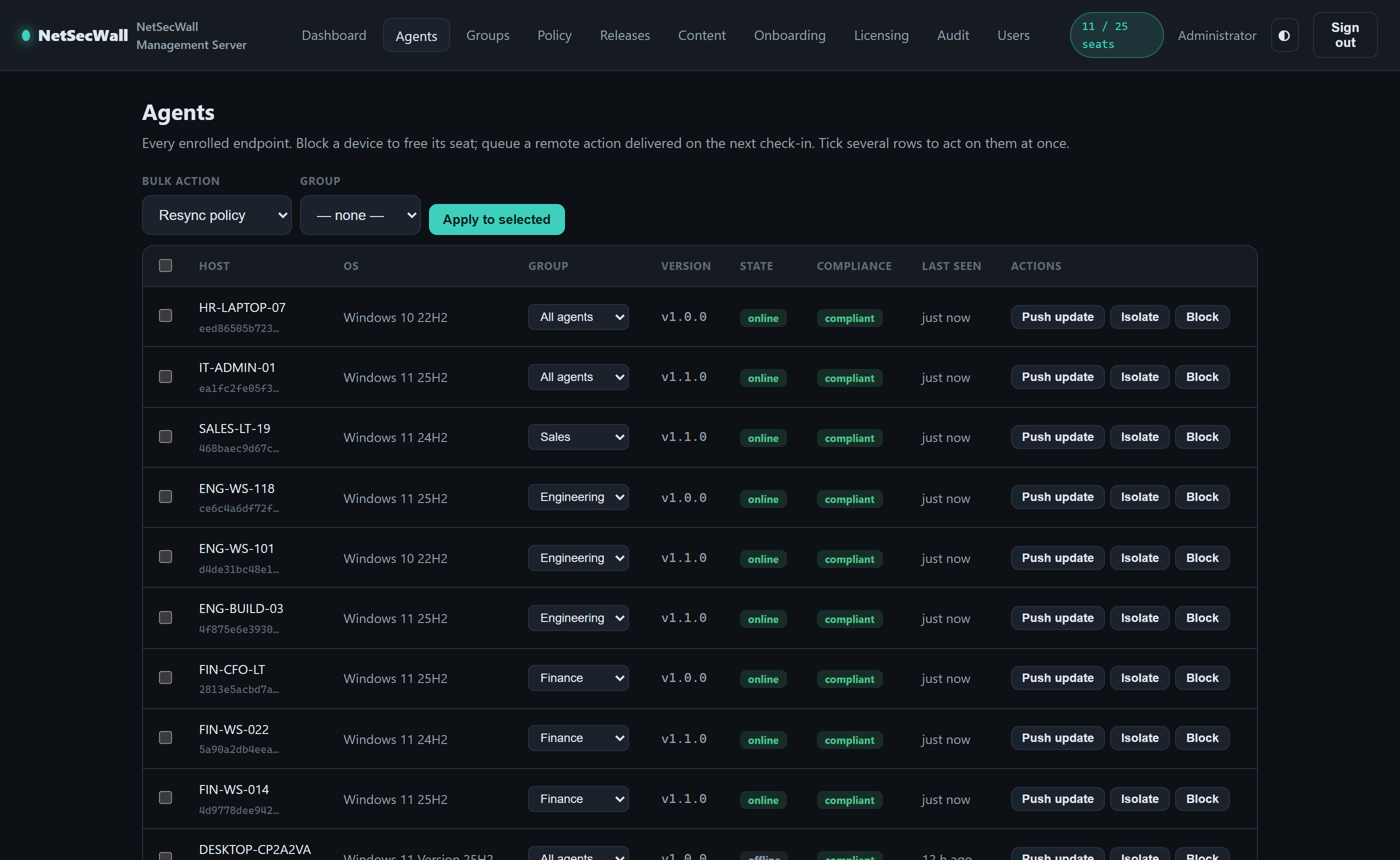
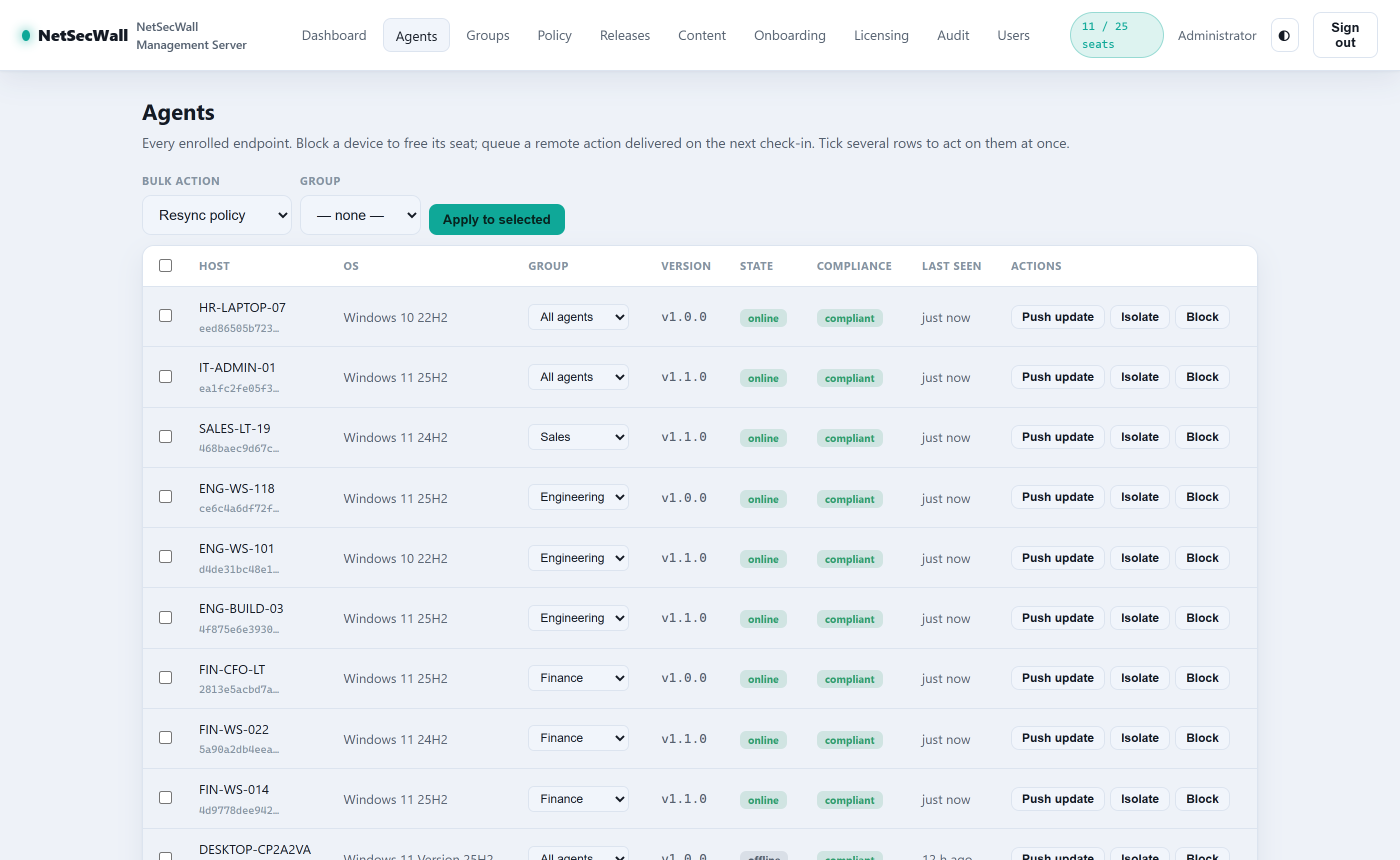
Agents table with groups, compliance, versions, and bulk actionsAgents table with groups, compliance, versions, and bulk actions
Groups, compliance, bulk actions.
Onboarding
Onboarding page generating the netlens-mgmt.json bootstrap fileOnboarding page generating the netlens-mgmt.json bootstrap file
One file onboards a device.

What you get

Enterprise control, without the cloud.

Everything in NetSecWall Pro on every seat — plus the management plane IT actually needs.

console

Fleet console, on your metal

A self-hosted management server with live dashboards: agents online, seat usage, detections, version spread, and per-device history — all inside your network.

policy

Policy deployment wizard

Start from Balanced, Strict, Kiosk, or Monitor-only, adjust, pick target groups, review the blast radius, deploy — and optionally push it to online agents instantly.

groups

Groups with inheritance

Organize endpoints into an OU-style tree. Policies flow down the chain — categories and locks accumulate, settings override nearest-first — with an effective-policy preview.

onboard

One-file onboarding

Generate a netlens-mgmt.json on the server's Onboarding page. Users import it in the app, or GPO / Intune / SCCM drops it beside a silent install — the device enrolls itself.

update

Silent update push

Publish a release once, push fleet-wide. SHA-256-verified, silently installed, with a per-device version trail and quarantine for machines that fall behind.

respond

Respond in seconds

Isolate a machine, force a policy resync, or push an update from the console — commands arrive over a live WebSocket channel, not on the next check-in.

mtls

mTLS agent identity

Every agent receives its own client certificate from the server's internal CA — with automatic renewal, rotation-revokes-the-old-cert, and keys sealed at rest.

compliance

Host integrity gate

Set a minimum version and drift rules; a non-compliant endpoint quarantines itself off the network until it's back in line. Location-aware policy covers on-site vs. off-site.

govern

RBAC, SSO & audit

Owner / admin / operator / viewer roles, optional OIDC single sign-on (Entra ID, Okta, Keycloak), and an immutable audit trail of every console action.

Built for IT

Deploys like the tools you already run.

  • Single self-contained Windows service — no runtime to install
  • SQLite out of the box; SQL Server for larger fleets
  • Deploy agents via GPO, Intune, or SCCM with a token in the installer
  • Air-gapped content import (feeds, GeoIP, installers) for offline sites
  • LAN relay agents fan out content without hammering the WAN
  • TLS admin console, separate mTLS agent port
Private by architecture

Nothing to trust but your own box.

  • Activate once with your Enterprise key — then zero phone-home
  • Telemetry, events, and analytics stay on your server
  • Agents keep working offline with a 30-day rollback-proof grace
  • Blocking a device frees its seat instantly
  • Internal PKI keys DPAPI-sealed at rest
  • Every export, deploy, and command is audit-logged
Enterprise pricing Beta

Sized by seats. Same console on every tier.

A key's seat count becomes your server's cap the moment you activate. Every tier includes the full console and every desktop feature on every seat — and keys stack if you grow. Indicative yearly pricing; we quote per deployment.

Enterprise is sales-led while it's in beta.There's no self-service checkout. Tell us your seat count and we'll scope it, quote it, and send a license key with an invoice or a payment link. Trials and pilots welcome.
Talk to sales

Billed yearly · invoice or payment link · one-shot activation — the server then runs fully on-prem